
Summary:
This article offers information regarding access to the Solver Academy following the October 2024 cloud release and the updates to our licensing structure. Previously, users were able to follow a link, bookmark, or find the Solver Academy through search, and login directly to the site. Academy access is now part of all Standard user licenses and requires the use of Single Sign On (SSO) via the Solver portal.
Article Sections:
More Information:
As of October 2024, access to the Academy now requires users to be logged into the Solver portal as part of the single sign on (SSO) implementation.
If a user goes directly to the URL https://learn.solvertraining.com/ and they are not already signed into the Solver portal with a Standard user license, they will be met with a card instructing them on what to do.
Single Sign On (SSO) Now Required
Please navigate to your Solver solution and click Help > Solver Academy to access your content.
After log-in, any previously defined bookmarks will be available.
If you are a legacy, non-cloud customer (BI360 or Private Host), please email training@solverglobal.com for instructions.
Question? Contact training@solverglobal.com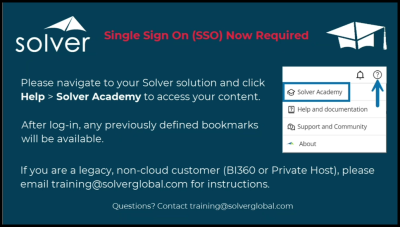
Simply log into Solver, click the Help icon at the top right of the screen, and choose Solver Academy from the dropdown. Alternatively, after logging into Solver, you may access any bookmarked Academy content you may have saved.
Requirements
As of January 2025, users must have a Standard license assignment in order to have access to the Solver Academy. Viewers and Contributors will not have access to Academy.
For more information, please refer to the following knowledge base articles:
Properties:
Cloud
Administration